





Published on July 18, 2025
Break down silos with seamless manufacturing integrations powered by Poka Automate.
Key Takeaways
- Data integration in manufacturing is complex with disconnected systems, legacy technologies and inconsistent data formats creating silos that limit visibility and slow decision-making.
- Seamless integrations unlock real-time collaboration, enabling data to flow effortlessly across systems, teams and equipment – powering smarter, faster operations.
- Strong data governance, data quality and security practices are essential to ensure reliable and secure information sharing across the factory ecosystem.
- Building a collaborative culture and prioritizing continuous improvement help manufacturers overcome organizational fragmentation and achieve scalable integration success.
- Poka Automate addresses the persistent challenge of data silos in manufacturing by enabling seamless integration across multiple systems and disparate data sources.
Introduction to Breaking Down Data Silos and Enabling Seamless Manufacturing Integrations
In today’s digital-first manufacturing landscape, one of the most pressing challenges is ensuring that data can flow freely across systems, teams and equipment. Siloed technologies, legacy software and lack of interoperability often prevent manufacturers from achieving the real-time visibility and responsiveness that modern production demands.
That’s why one of the first questions manufacturers ask when evaluating new digital tools is: “Will it integrate with our existing systems?” The ability to connect MES, ERP, quality systems, equipment data and more is no longer a nice-to-have – it’s a foundational requirement for building a connected factory.
But while integration is essential, it’s only the beginning. The true value lies in what you can do once your systems are connected: unlocking efficiency, driving collaboration and enabling smarter decision-making across the factory floor.
This is where Poka Automate comes in. Designed to address the persistent challenge of data silos in manufacturing, Poka Automate makes it easy to connect external systems and build internal workflows that automate tasks within the Poka platform itself. These “Poka-only” automations don’t require developers or outside vendors – empowering operations teams to customize and scale their digital workflows faster than ever before. In this article, we’ll dive into:
- Why seamless data integrations are critical for modern manufacturing
- The risks of disjointed systems and fragmented data
- How Poka Automate offers a scalable, flexible solution to unify data and workflows
The Challenges of Data Integrations in Manufacturing
Despite the increasing digitization of the shop floor, manufacturers continue to struggle with siloed information and fragmented systems that hinder efficiency, agility and real-time decision-making. Integrating different data sources, disparate data sources and external sources remains a significant challenge in manufacturing environments, often complicating efforts to achieve a unified and comprehensive view of operations. These silos manifest in both technical and organizational forms, including:
1. Disconnected Systems
Manufacturing operations rely on a wide array of software including disparate systems and multiple systems: ERP for resource planning, MES for execution, QMS for quality, HR and LMS systems for workforce management, SaaS applications, customer relationship management systems and often multiple legacy applications.
These systems are rarely designed to communicate with each other, with information systems and computer systems often operating independently, resulting in isolated data pools that may be stored in various databases across the organization. Integrating two or more systems is often required to achieve seamless operations.
2. Inconsistent Data Formats
Even when integrations are attempted, the lack of standardized data formats and challenges with syntactic interoperability make it difficult to ensure accuracy and consistency across platforms. Data may be misinterpreted or corrupted during transfer.
3. Organizational Fragmentation
Departments often operate with independent priorities, tools, and workflows, with each department having its own set of systems and processes. This reinforces functional silos where data is stored and interpreted differently, making it challenging to share information with other departments and across various departments which limits collaboration and slows down cross-functional problem-solving.
Achieving organizational interoperability is essential to facilitate effective collaboration and data sharing throughout the enterprise.
4. Manual Bridging Tactics
To work around integration gaps, frontline workers often resort to spreadsheets, emails and manual double-entry. These methods are time consuming and contribute to higher maintenance costs over time. They are inefficient, error-prone and unsustainable at scale.
5. Scaling Difficulties
Many integration projects start with a narrow scope, solving a single pain point but often overlook the key aspects of scaling integration effectively. But as operational needs evolve, organizations must consolidate data from multiple sources and these integrations become hard to extend, modify or maintain – leading to brittle architectures that can’t keep up.
Cloud computing has enabled rapid adoption of new applications and services but it can also complicate integration efforts by creating isolated data sources and new data silos.
These challenges are not just theoretical. They translate directly into business risks: delayed responses to production issues, poor visibility into KPIs, duplicated effort, inconsistent quality and increased compliance burdens. To address these risks, organizations should aim to achieve interoperability and overcome data silos by adopting a single platform and becoming more data driven.
The Impact of Legacy Systems on Data Integrations
Legacy systems remain a significant barrier to seamless integration in manufacturing environments. These older technologies, often built for a different era, typically operate in isolation and lack compatibility with modern platforms. As a result, organizations frequently encounter data silos, where important data is trapped within separate systems – making it difficult to access or share across the business.
This fragmentation leads to incomplete data which can hinder critical decision-making and result in missed opportunities for process optimization or innovation. For example, when production data is stored in a legacy system that cannot exchange data with newer applications, teams may struggle to get a unified view of operations or respond quickly to issues.
To overcome these challenges, manufacturers should prioritize strong data governance and consider strategies for modernizing their technology stack. Migrating data from disparate sources into a unified system – such as a data warehouse or data lake—can dramatically improve data access and quality. By consolidating information from different systems, organizations can break down silos, enable more effective data exchange and ensure that critical data is available when and where it’s needed most. Embracing new technologies and integrating legacy systems with other systems is essential for building a connected, future-ready manufacturing environment.
Ensuring Data Quality and Integrity
High-quality, trustworthy data is the foundation of any successful integration initiative. Without robust data management practices, organizations risk introducing errors, inconsistencies and even security vulnerabilities into their operations. To maintain data quality, it’s essential to establish clear data standards, validate data at the point of entry and conduct regular audits to catch discrepancies before they impact business processes.
Data security is equally important, especially when handling sensitive data. Implementing strong access controls and encryption helps protect valuable information from unauthorized access or breaches. By prioritizing both data quality and data security, manufacturers can ensure that their teams have reliable data to support informed decisions at every level of the organization.
Regular maintenance and timely updates to data management systems further safeguard data integrity, preventing corruption and ensuring that information remains accurate and actionable. With these best practices in place, organizations can trust their data and confidently drive their digital transformation efforts forward.
Continuous Improvement Initiatives in Manufacturing Integration
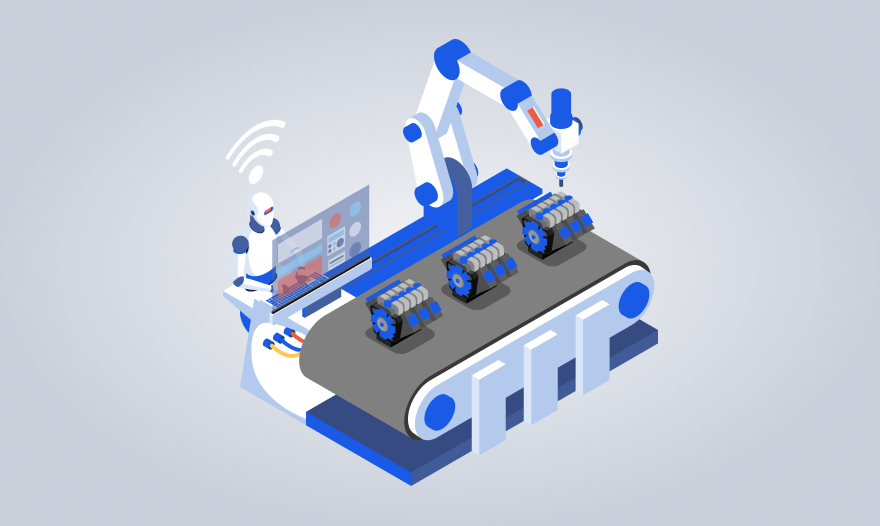
Continuous improvement is at the heart of successful manufacturing integration. By regularly evaluating and refining integration processes, organizations can identify inefficiencies and implement changes that drive greater productivity and agility. This might include streamlining workflows, automating repetitive or manual tasks and adopting advanced technologies that support semantic interoperability – enabling systems to understand and exchange data in real time.
Encouraging teams to share data and best practices across departments fosters a culture of ongoing learning and adaptation. As teams work together to optimize processes and leverage new technologies, they can respond more effectively to changing business needs and market conditions. Prioritizing continuous improvement ensures that integration efforts remain aligned with organizational goals and that manufacturing operations are always evolving to meet new challenges.
Fostering a Culture of Collaboration
A collaborative culture is essential for breaking down data silos and achieving seamless integration. When teams work together to share data and best practices, organizations benefit from greater efficiency and more agile responses to shifting market conditions and other factors. Implementing collaboration tools – such as shared databases, communication platforms and cross-functional dashboards – can make it easier for different departments to access and contribute important data.
Encouraging open communication and knowledge sharing across teams helps ensure that everyone is aligned around common objectives and can quickly adapt to new challenges. Recognizing and rewarding collaborative behaviors such as sharing data and expertise, reinforces the importance of teamwork and cooperation. By making collaboration a core value, organizations can unlock the full potential of their data and drive continuous improvement across all business processes.
Data Analysis and Visualization for Actionable Insights
Integrating data from multiple sources is only the first step – turning that data into actionable insights is where real value is created. Advanced data analysis techniques such as machine learning and predictive modeling, can help organizations uncover patterns and trends that might otherwise go unnoticed. Data visualization tools make it easy to present complex information in a clear, intuitive format – enabling stakeholders to quickly grasp key insights and make informed decisions.
Dashboards and real-time data reports provide up-to-the-minute visibility into operations, while data storytelling techniques can help communicate findings to non-technical audiences. By prioritizing data analysis and visualization, manufacturers can ensure that their integrated data drives smarter strategies, faster responses and better business outcomes.
Customer Support and Implementation Services
Poka Automate is supported by a dedicated services team that can help customers:
- Design and prototype new workflows
- Set up complex integrations
- Provide best-practice guidance
- Deliver consulting services for deployment
This in-house expertise ensures that customers are never on their own – whether they’re building a quick Poka-only alert or a full integration with enterprise systems.
Poka Automate: A Platform Built for Connectivity and Control
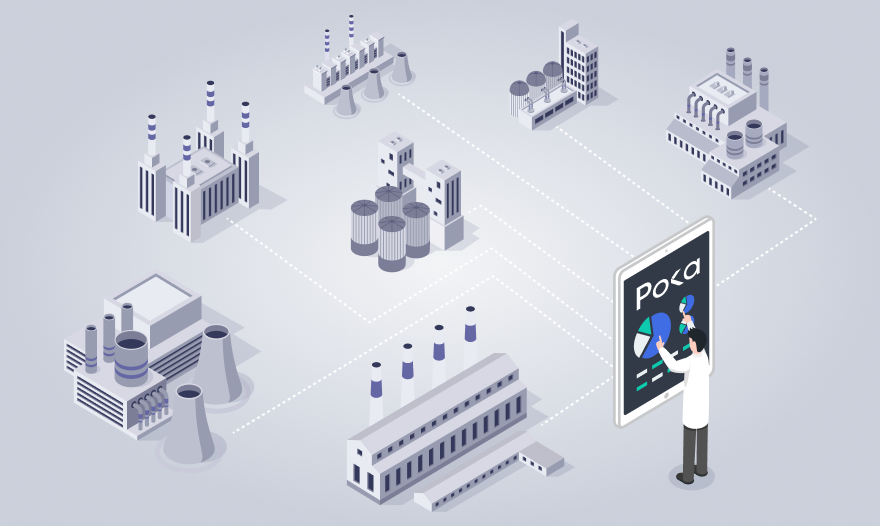
Poka Automate was designed to address these integration problems head-on. It provides manufacturers with a scalable, secure and user-friendly platform to connect systems, automate data exchange and orchestrate workflows across the factory ecosystem. By enabling seamless experience and increased efficiency, Poka Automate ensures smooth connectivity between software applications, devices and data sources – resulting in improved operations and customer satisfaction.
Prebuilt Connectors and API Flexibility
Poka Automate includes a growing library of over 1,000 prebuilt connectors, supporting common platforms in the manufacturing stack – ERPs, MESs, HR and LMS systems, CRMs and data lakes, as well as integrating a wide range of software applications and data sources through these connectors. These connectors simplify integration by eliminating the need for custom development.
For more specialized needs, Poka Automate also supports API-level integration, enabling connectivity with legacy applications and proprietary tools. This makes it flexible enough to adapt to each manufacturer’s unique digital environment.
Real-Time Data Exchange and Workflow Automation
Beyond static integrations, Poka Automate supports real-time data synchronization and trigger-based automations. It can:
- Send alerts when thresholds are breached
- Escalate issues based on time or context
- Assign tasks automatically to the right personnel
- Archive or close out tickets based on logic
These capabilities eliminate manual handoffs and ensure that the right information reaches the right person at the right time, supporting effective information sharing across the organization.
Low-Code Environment Built for Admins
One of Poka Automate’s key innovations is its low-code builder which allows operations teams – not developers – to design and manage automation workflows.
Supervisors, plant managers and continuous improvement leaders can experiment, iterate and deploy automations without technical support, unlocking speed and adaptability that traditional IT-led integration projects often lack.
Robust Data Governance and Security
Poka Automate includes role-based access controls, encryption, audit trails and logging features, with data privacy as a key component of regulatory compliance requirements. Information remains secure while flowing freely within the organization.
The Unexpected Power of Poka-Only Automations
While third-party integrations remain a core strength, many of the most immediately impactful use cases come from automations that happen entirely within Poka.
These “Poka-only” workflows don’t rely on external systems – making them faster to trial, easier to manage and surprisingly powerful for solving everyday operational challenges.
Examples of Poka-Only Automations:
- Form Deviations: Automatically notify supervisors when a deviation is submitted.
- Escalations: Trigger alerts if an issue remains open beyond a set time.
- Archival: Move closed issues to long-term storage after a configurable delay.
- User Lifecycle: Send welcome messages when a new user is created, or initiate workflows when a user is deactivated.
- Role-Based Actions: Launch onboarding or training sequences based on user role.
- Issue Routing: Assign problems to different team leads based on criteria in the form.
These workflows may seem simple but they unlock a degree of customization and responsiveness that factory teams have long desired – without needing new features built into the core product.
Why These Use Cases Drive Engagement
Many manufacturers start their journey with Automate by exploring these internal use cases because:
- They require no external access (no IT, no vendor involvement)
- They’re easy to prototype – most can be built in under an hour
- They solve persistent pain points like late escalations, missed form deviations, or onboarding and training new employees
- They impress admins – delivering functionality they’ve always wanted
And most importantly, they provide a low-risk trial path. Manufacturers can evaluate Automate’s power without committing to a full integration or involving data security approvals from third parties.
Common Integration Use Cases with External Systems
When manufacturers are ready to go beyond internal workflows, Poka Automate’s robust integration engine is ready to deliver deeper connectivity. Common cross-system use cases include:
- Syncing user profiles: Automatically create and manage Poka users based on HR system data.
- Triggering work orders: When a new issue is logged in Poka, send that data to the maintenance system to generate a ticket.
- Assigning training: Automatically trigger role-specific LMS training when user roles or team assignments change.
- Centralized compliance: Push audit logs from Poka into a QMS or data warehouse for reporting.
- Closing the loop: Synchronize feedback from quality events or corrective actions across MES and ERP systems.
- Integrating customer data: Consolidate customer data from CRM, ERP, and support systems to eliminate data silos and deliver seamless, personalized customer experiences.
These integrations extend the value of Poka into the broader digital thread, supporting real-time decision-making and systemic agility. In industries where timely information sharing is critical, such as emergency response, integration can also enhance public safety by enabling first responders to access essential data quickly and coordinate more effectively.
Building a Scalable Automation Strategy

Manufacturers don’t have to choose between simple or complex use cases – Poka Automate supports both. A typical rollout strategy might look like: Key aspects to consider when scaling automation include the need to consolidate data from multiple sources to ensure seamless integration and efficient information flow.
- Start with Poka-only automations to build confidence and deliver quick wins.
- Scale up to integrations with HR, MES or maintenance systems for operational visibility.
- Expand enterprise-wide by linking ERP, analytics platforms and compliance systems.
And because the same platform supports both internal and external workflows, there’s no need to switch tools or re-train users as complexity grows.
Conclusion: A Dual Path to Integration Success
Poka Automate was built to answer the recurring question of “Do you integrate with…?” But its deeper value lies in the unexpected empowerment it gives to manufacturing teams.
By combining scalable third-party integration with highly customizable Poka-only workflows, manufacturers can:
- Break down long-standing data silos
- Automate repetitive tasks and reduce manual errors
- Improve responsiveness and operational coordination
- Trial automations without complexity or overhead
- Scale workflows from one department to global operations
Whether you’re just starting with digital transformation or aiming to reach Industry 5.0-level agility, Poka Automate is a launchpad for progress – built to connect, customize and elevate every part of your operation.
Are you ready to take your manufacturing workflow to the next level?
Schedule a demo with Poka today or contact us for more information on how our platform can revolutionize your operations.
FAQs About Poka Automate and Integration
Yes, it supports over 1,000 prebuilt connectors and can integrate via APIs with ERPs, MES, HR systems, and more.
Start with Poka-only automations. These use cases are fast to trial and show value without external dependencies.
Not at all. Poka Automate’s low-code interface is designed for operational leaders, not developers.
Automating notifications on form deviations or setting time-based escalations for issues—both are quick wins.
Yes, the Poka team can help build workflows directly or provide consulting hours to accelerate your setup.